



How to Install & Troubleshoot AMK KW-R06 Cards?
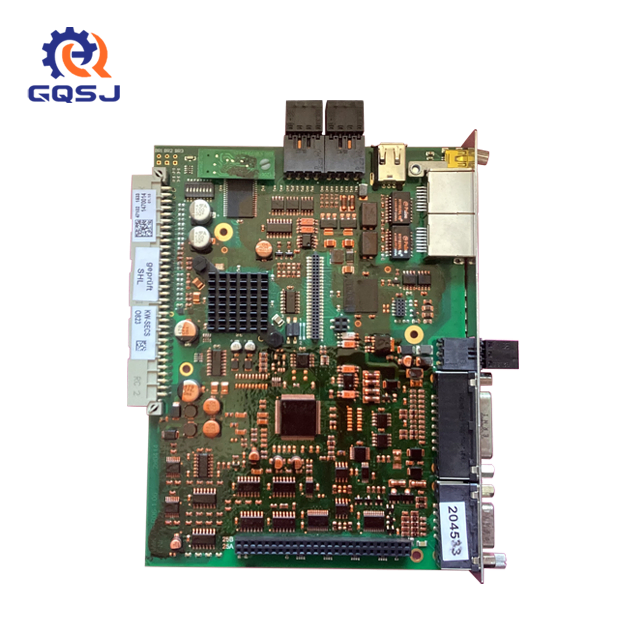
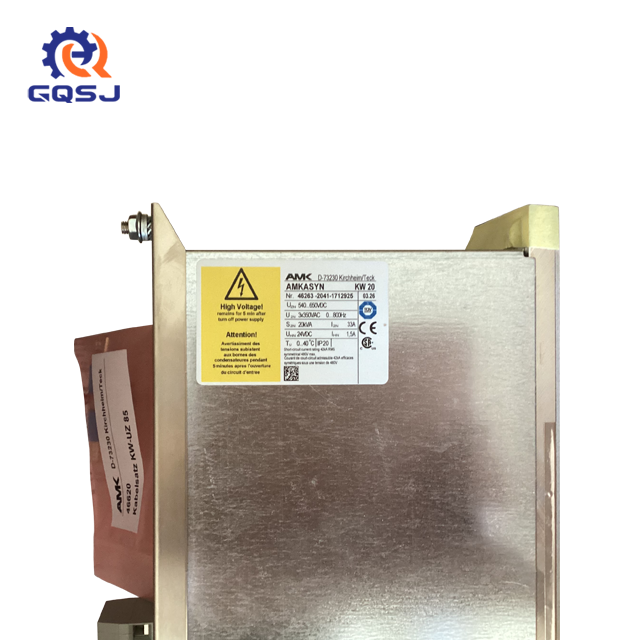
In modern industrial automation, stability and precision are everything. Whether you are managing high-speed packaging lines or complex tobacco blending systems, hardware reliability directly dictates your factory's overall equipment effectiveness (OEE). At the heart of many high-performance motion control setups lies the AMK controller card series. Specifically, the AMK KW-R06 module (Ordering Number: 202744) has earned a solid reputation for handling demanding tasks ranging from synchronized paper feed in wrapping machines to high-speed rod forming in filter production.
However, even the most robust industrial hardware requires correct deployment and periodic technical checkups to maintain peak operational efficiency. Incorrect setup can lead to intermittent communication drops, micro-stoppages, or worse—costly unscheduled downtime.
This comprehensive technical guide provides factory engineers and maintenance technicians with a clear, step-by-step procedure to safely install, initialize, and diagnose the AMK KW-R06 system.
Step-by-Step Installation Guide for AMK KW-R06
Proper physical installation is the crucial first defense against electrical noise, vibrational wear, and premature hardware failure. Before handling any internal electronic components, always ensure that the main power supply to the drive cabinet is completely shut off and locked out. Technicians must also wear a properly grounded anti-static wrist strap (ESD protection) to avoid transferring static charges to the sensitive microprocessors on the circuit board.
Follow these primary engineering steps to ensure a secure setup:
Mechanical Insertion and Securing
First, locate the designated master control slot within your drive housing or rack assembly. Inspect the slot carefully to ensure it is free from dust, debris, or bent backplane pins. Align the guide rails of the circuit board precisely with the rack slots. Gently but firmly slide the card backward until you feel the rear bus connectors seat perfectly into the backplane matrix.
Never force the module. If you encounter resistance, slide the card out, re-verify the alignment, and check for any structural obstructions. Once the card is flush and fully seated, immediately secure the metal front panel using the integrated fixing screws. Tightening these screws is essential because factory floor environments are prone to continuous low-frequency vibrations that can slowly back unanchored cards out of their slots over time.
Wiring and System Initialization
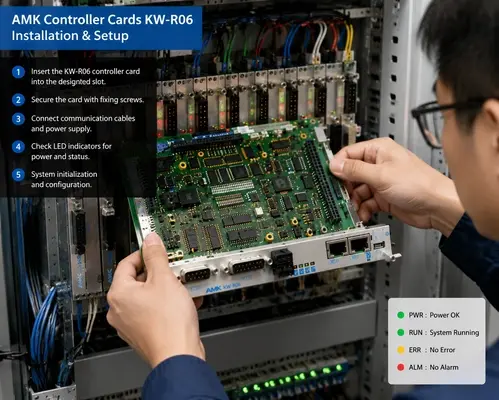
With the hardware firmly mounted, you can begin attaching the external communication interfaces and the dedicated logic power supply wires. The AMK KW-R06 features specialized communication ports (such as EtherCAT, VARAN, or proprietary AMK fieldbus interfaces) alongside legacy serial ports. Use high-quality, shielded twisted-pair cables to mitigate electromagnetic interference (EMI) from neighboring high-power motor cables.
Ensure the shielding is grounded according to standard industrial automation practices. Once the physical wiring is verified, restore the power supply and initiate your system configuration software to push the required parameters, motion profiles, and machine recipes onto the newly installed card.
Reading LED Indicators for Quick Diagnosis
Once the system powers up for the first time, your immediate point of verification shouldn't be the computer screen; it should be the physical interface of the controller card itself. Monitoring local hardware diagnostics allows technicians to catch major power or bus configuration faults before executing full automated machinery cycles.
Evaluating the built-in LED indicators is the fastest way to verify if the internal power rails and operating systems are booting correctly.
The AMK KW-R06 panel features a clear array of diagnostic lights. Understanding this status matrix will save maintenance teams hours of guesswork:
Advanced Troubleshooting & Repair in Production Lines
In real-world manufacturing environments, such as high-volume tobacco processing or high-speed consumer packaging, the AMK KW-R06 operates within a deeply integrated digital ecosystem. The card is continuously responsible for high-speed tracking, processing encoder feedback, and uploading vital machine state information to the plant-wide network.
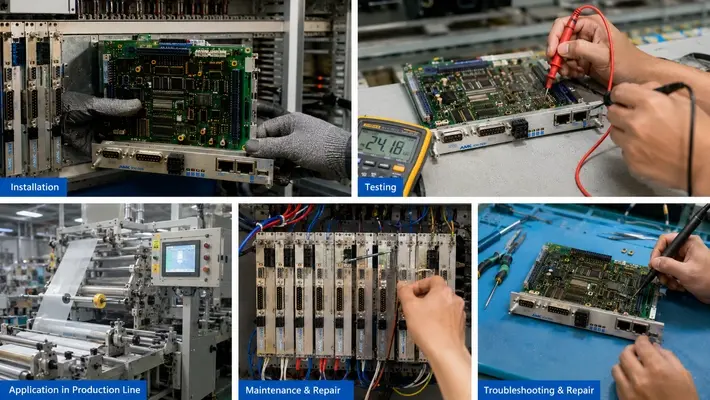
For instance, during continuous manufacturing operations, this controller card seamlessly executes tasks tied to Production Tracking by logging batch statistics, operating hours, and cycle counts directly to supervisory MES platforms. When real-time data flow disrupts or when a synchronization loss occurs on a high-speed wrapping line, technicians must execute advanced physical diagnostics immediately.
When a running production line encounters an emergency stop linked to a controller card timeout, maintenance crews should follow this rapid diagnostic sequence:
1. Visual Status Check: Observe the PWR/RUN/ERR/ALM matrix discussed above to isolate the fault to either a power, software, or communication issue.
2. Multimeter Verification: Open the cabinet doors and utilize a calibrated digital multimeter to measure the direct current (DC) supply rails right at the terminal blocks of the card assembly, verifying electrical stability under load conditions.
3. Signal Testing: Inspect the integrity of the incoming encoder and communication lines using appropriate diagnostic signal test probes to rule out broken wires or corrupted signal wave-forms inside the cable tracks.
If your team performs these basic diagnostic checks and discovers that the card has suffered deep component-level wear, tracking down specialized assistance becomes mandatory. Attempting complex SMD soldering or logic board trace modifications without dedicated factory calibration equipment can permanently destroy the controller.
If your facility requires authorized technical inspection, emergency board swaps, or professional industrial Troubleshooting & Repair do not hesitate to contact our engineering team directly. Our certified automation specialists can provide rapid diagnostic support, hardware evaluation, and direct access to original replacement units to get your factory floor running smoothly again.
Conclusion
Maximizing plant uptime depends entirely on how well your technical staff handles its core automation assets. By following a structured approach to mechanical installation, paying close attention to wiring shielding, and knowing how to read onboard diagnostic lights, you can drastically reduce the time it takes to resolve line stoppages. The AMK KW-R06 controller card remains an incredibly reliable piece of industrial engineering—provided it is given the proper setup and professional technical care it deserves over its operational lifespan.