




How to Troubleshoot HAUNI 1895362000 00 PCB Card?
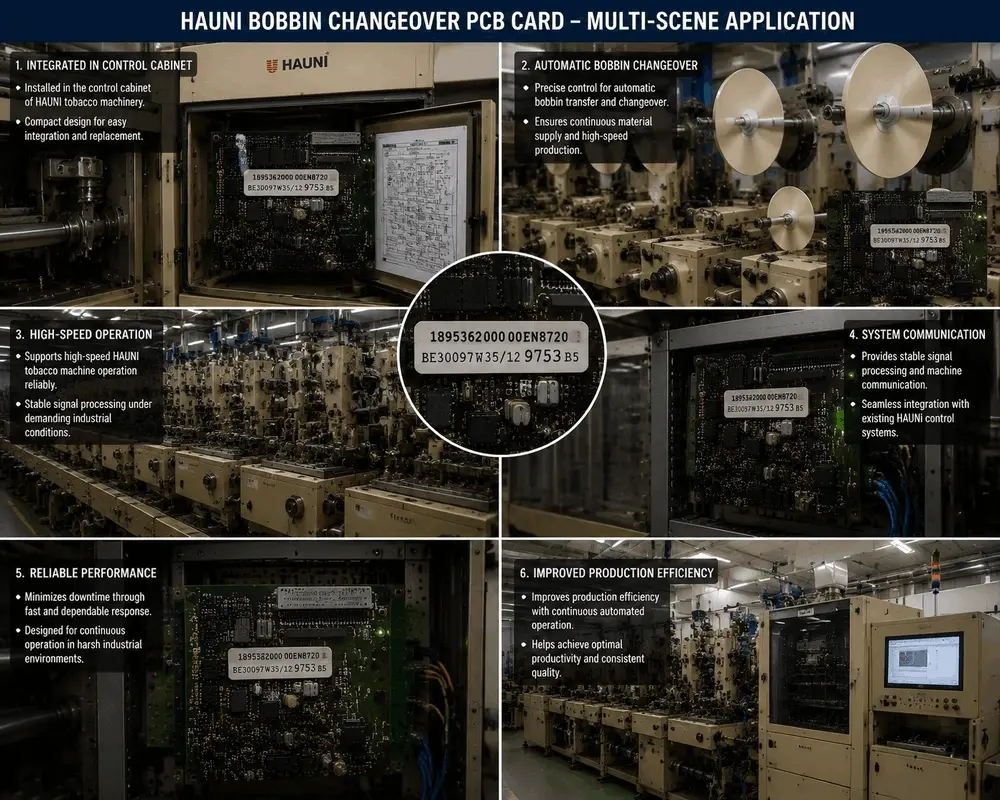
Industrial tobacco manufacturing demands continuous operation and zero unscheduled downtime. At the heart of high-speed HAUNI tobacco machinery, the HAUNI 1895362000 00 PCB Card (Model: EN8720 / BE30097W35/12) plays a critical role in controlling automatic bobbin transfer and changeover.
When a bobbin switching failure occurs, production efficiency drops instantly. Troubleshooting this complex industrial circuit board might seem daunting, but by following a structured, step-by-step diagnostic process, you can quickly identify the root cause, repair faulty components, and restore stable machine communication.
Understanding the Role of the Bobbin Changeover PCB Card
Before diving into hardware diagnostics, it is essential to understand what this specific board does. The HAUNI EN8720 BE30097W35/12 is designed for precise bobbin switching control. It ensures a continuous material supply under demanding, high-speed industrial conditions.
When working perfectly, it provides seamless integration with existing HAUNI control systems and delivers stable signal processing. If your machinery experiences intermittent signal loss, delayed bobbin response, or total changeover failure, the PCB card is often the primary suspect.
Step 1: Visual Inspection and Safety First
Every industrial electronics repair must begin with safety. Before touching any internal components, ensure you follow the standard industrial shutdown protocol:
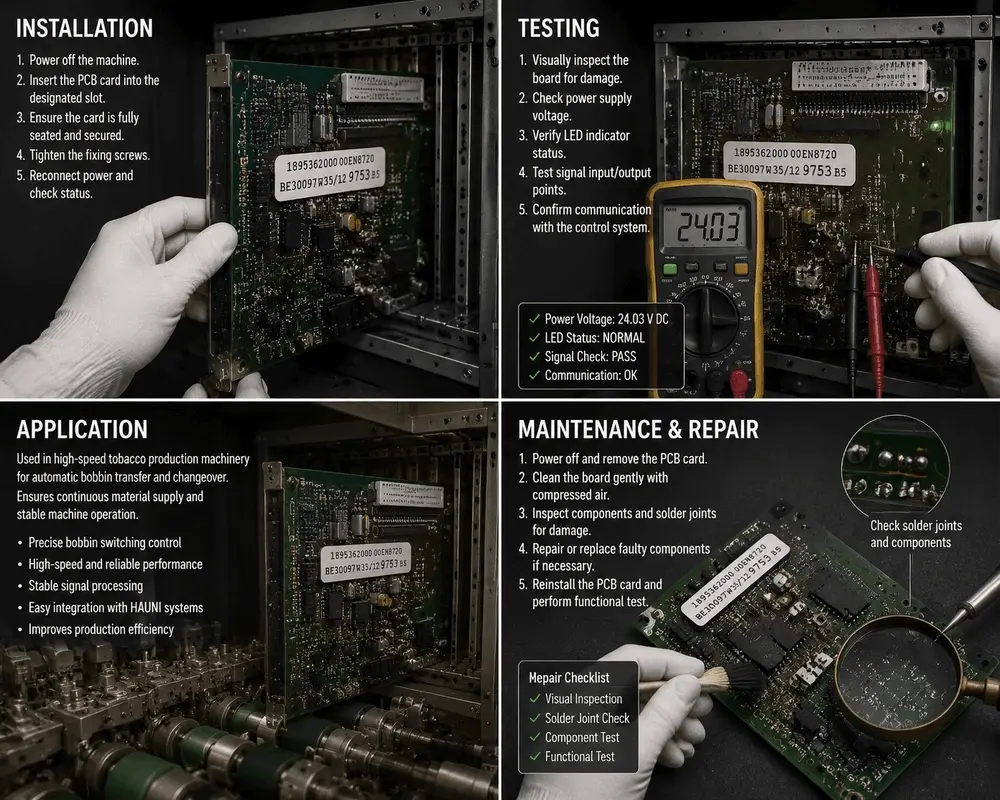
1. Power Off the Machine: Completely shut down the HAUNI tobacco machine and disconnect the main power supply to prevent electrical shock or further component damage.
2. Remove the PCB Card: Carefully slide the board out of its designated slot in the control cabinet. Use an anti-static wrist strap to avoid Electrostatic Discharge (ESD).
Conduct a Visual Inspection: Place the board under a magnifying glass or microscope. Inspect the board gently for visible signs of distress. Look for burned resistors, bloated capacitors, broken traces, or cracked solder joints around heavy components
Step 2: Power Voltage and Voltage Rail Testing
If the board passes visual inspection, the next step is to verify its electrical integrity. Many industrial automation failures stem from unstable power supplies or degraded voltage regulators on the board itself.
To perform live voltage testing, you must reconnect the card securely or use a dedicated bench testing rig:
● Measure the Input Power Voltage: Use a digital multimeter to check the incoming voltage rails. For this specific HAUNI control system, you should look for a stable 24.03 V DC reading.
● Check the Voltage Stability: A reading significantly lower than 24V (e.g., below 22V) or fluctuating wildly indicates a failing power supply module or a short circuit on the board drawing excessive current.
For advanced technical schematics and universal standards on multi-layer industrial board voltage routing, engineers often consult global electronics resources like IPC International to maintain compliant repair practices.
Step 3: Verify LED Indicators and Signal Input/Output
The HAUNI 1895362000 00 board features onboard LED status indicators that provide immediate diagnostic feedback.
● LED Status Normal: If the diagnostic LEDs show a steady green or the designated "Normal" sequence, the board's internal logic gates and microcontrollers are likely functioning.
● Signal Check: Test the signal input and output points using an oscilloscope or a signal generator. This board relies on high-speed, stable signal processing to communicate with the primary machine. If the signal check fails or shows heavy noise, the optocouplers or line drivers may need replacement.
If you find that the board is completely unresponsive or severely damaged by an electrical surge, you may need a reliable replacement source. You can browse our dedicated Industrial Automation Spare Parts Catalogue to find certified boards and matching components for your machinery.
Step 4: Confirm System Communication
A PCB card can have perfect power rails but still fail if it cannot talk to the rest of the machinery. The EN8720 model is engineered for seamless integration with HAUNI control systems.
● Check the Communication Protocol: Ensure that the communication lines (such as Profibus, CAN bus, or proprietary HAUNI data lines) are clean and free from electromagnetic interference.
● Inspect the Interface Pins: Look at the gold-plated connector pins on the back of the PCB. Over time, industrial dust, oil, and vibration can cause fretting corrosion. Clean the contacts gently using an electronics contact cleaner or compressed air.
Step 5: Advanced Component Testing and Repair
If you isolate the issue to the board itself, it is time for precision repair. Industrial maintenance teams should follow a strict checklist:
1. Clean the Board: Use compressed air and isopropyl alcohol to remove tobacco dust and grease accumulation.
2. Check Solder Joints: Use a soldering iron to reflow any cold or cracked solder joints, especially around the connector pins and power transistors.
3. Test Passive Components: Desolder and test suspect capacitors and diodes. Replace any faulty components with identical, industrially rated spare parts.
4. Reinstall and Functional Test: Slide the card back into its designated slot, tighten the fixing screws, reconnect the power, and run a test cycle to confirm communication is "OK".
For specialized documentation on tobacco processing machinery workflows and automated changeover physics, the Tobacco Asia Industry Portal provides valuable insights into how these electronic components impact overall factory output.
Conclusion
Troubleshooting the HAUNI 1895362000 00 PCB Card requires a balance of visual precision, careful voltage testing, and systematic communication checks. By keeping a strict maintenance checklist—verifying the 24.03 V DC power, checking LED statuses, and cleaning contact pins—you can drastically minimize factory downtime.
If you are looking for more step-by-step guides on industrial electronics maintenance or need to request a professional repair service, visit our Technical Support and Repair Guides Hub today.