



How to Troubleshoot AMK Controller Card KW-R03 Issues?
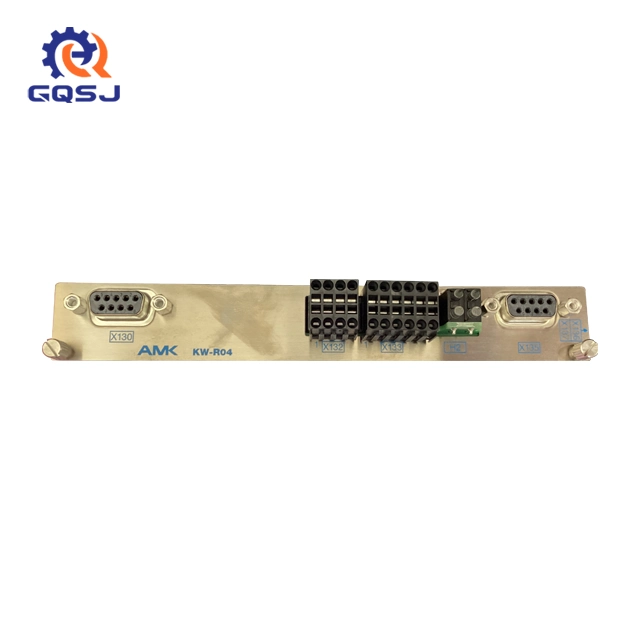
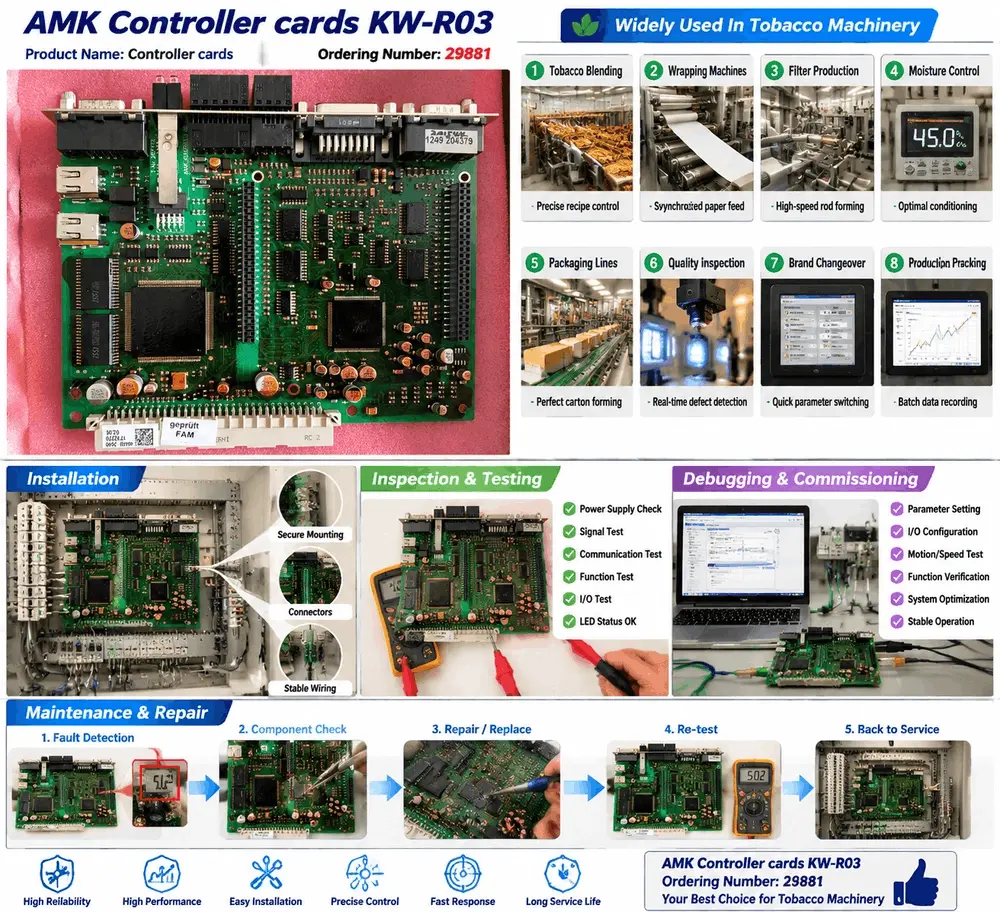
In modern industrial manufacturing, any unexpected downtime on the production line can result in thousands of dollars in losses per hour. This is especially true for the tobacco industry, where high-speed production demands absolute precision. The AMK Controller cards KW-R03 (Ordering Number: 29881) is a vital component widely used in tobacco machinery, including tobacco blending, wrapping machines, and moisture control systems.
When this critical controller board fails, fast and accurate fault diagnosis is essential to restore operations. This comprehensive guide provides step-by-step troubleshooting methods, diagnostic flows, and common repair practices for tobacco automation engineers.
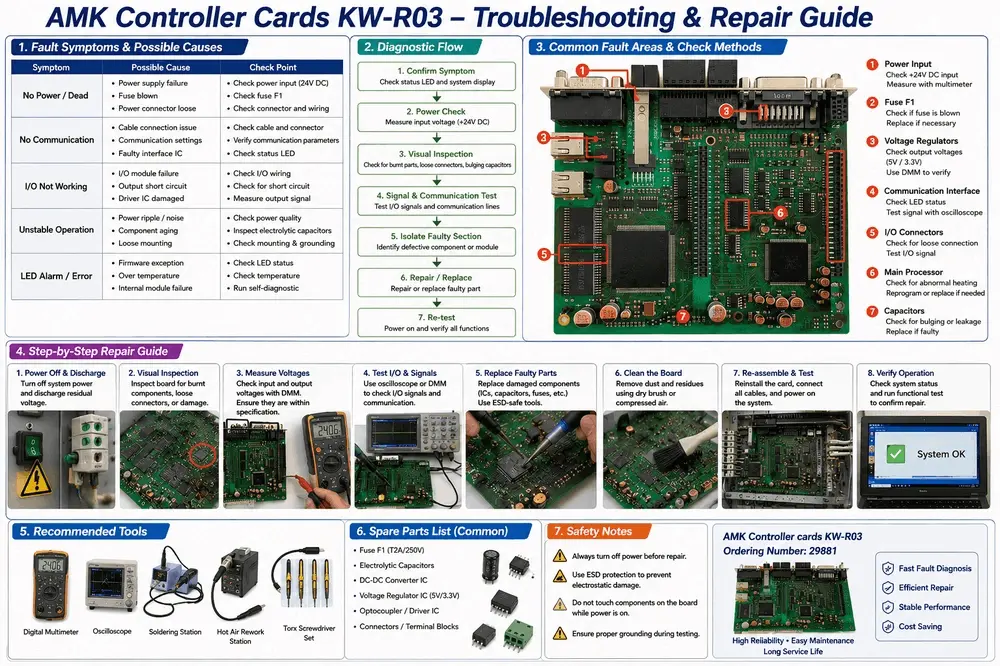
1. Common Symptoms and Possible Causes
Before replacing any hardware, you must accurately identify the symptom. Based on field maintenance data, most issues with the controller board fall into three major categories.
Symptom A: No Power / Dead Board
If the controller shows no signs of life and the status LEDs are completely off, the issue is typically rooted in the power supply chain.
● Possible Causes: Power supply failure, a blown fuse, or loose power connectors.
● Check Points: First, check the main power input to ensure it is receiving stable 24V DC. Next, inspect the onboard fuse F1.
Symptom B: No Communication
When the controller fails to interface with the main PLC or the HMI screen, the machine will throw a communication timeout error.
● Possible Causes: Cable connection issues, incorrect communication parameter settings, or a faulty interface IC.
● Check Points: Check the physical cable and terminal connectors for oxidation. Verify that the communication parameters match the system topology, and check the communication status LED.
Symptom C: I/O Not Working
If specific sensors or actuators fail to trigger despite being fully functional, the controller's input/output section might be damaged.
● Possible Causes: Faulty I/O module, external output short circuit, or a damaged driver IC due to voltage spikes.
● Check Points: Inspect the external I/O wiring. Measure the output signal directly from the board terminals to isolate whether the fault is internal or external.
2. A Step-by-Step Diagnostic Flow
To minimize diagnostic time, technical teams should follow a structured approach when testing the ordering number 29881 controller board.
● Step 1: Confirm Symptom & Visual Inspection
Always check the status LED and system display first to gather error codes. Turn off the system power and safely discharge residual voltage before touching the board. Look closely for burnt components, loose connectors, bulging capacitors, or physical traces of overheating.
● Step 2: Power and Voltage Check
Use a digital multimeter to measure the input voltage (+24V DC). If the input power is correct, proceed to check the internal onboard voltage regulators. The card converts input power into 5V and 3.3V to power the main processor and logic circuits. Use the DMM to verify if these low-voltage outputs are stable.
● Step 3: Signal & Communication Testing
If power is stable but the system remains unresponsive, test the I/O signals and communication lines. You can use an oscilloscope to check the waveforms of the communication interface to ensure signals are not distorted by electromagnetic interference (EMI).
3. Hardware Repair & Spare Parts List
If the fault is isolated to the controller board itself, component-level repair or part replacement becomes necessary. When performing hardware repairs, always implement strict ESD protection to prevent static electricity from permanently damaging the sensitive main processor or memory chips.
Common Fault Areas to Target:
● Fuse F1 (T2A/250V): This is the primary protection line. If a short circuit occurs, this fuse will blow. Always replace it with a fuse of the exact same rating.
● Electrolytic Capacitors: Over time, high temperatures inside tobacco machinery cabinets cause capacitors to age, bulge, or leak. Replace faulty capacitors to eliminate power ripples and unstable operations.
● Voltage Regulator IC (5V/3.3V): If the logic circuits receive no power, check and replace the regulator chips.
Optocoupler / Driver IC: These components protect the internal processor from external high-voltage spikes on I/O lines. They are highly susceptible to burnout and are easy to replace
4. Maintenance and Safety Notes for Engineers
To prolong the long service life of your AMK Controller cards KW-R03 in harsh industrial environments, adhere to the following preventative maintenance rules:
● Never hot-plug cables: Do not touch or disconnect components on the board while the power is switched on.
● Ensure Proper Grounding: Poor grounding during testing or operation can cause unstable signals, LED alarms, and intermittent data errors.
Keep it Clean: Regularly remove tobacco dust and chemical residues from the board using a clean dry brush or compressed air. Accumulated dust can absorb moisture and cause minor short circuits.
Conclusion: Need Expert Help or Replacement Cards?
Troubleshooting industrial automation hardware requires precision and technical expertise. If your team has followed this guide and the AMK controller board still displays errors, it may be time for a professional refurbishment or a complete replacement unit.
We specialize in high-reliability components for tobacco machinery. Contact our support team today for original spare parts, professional repair services, or to request a direct quote for a brand new controller card.