



How to Troubleshoot ABB DSQC540 CPU Board Errors?
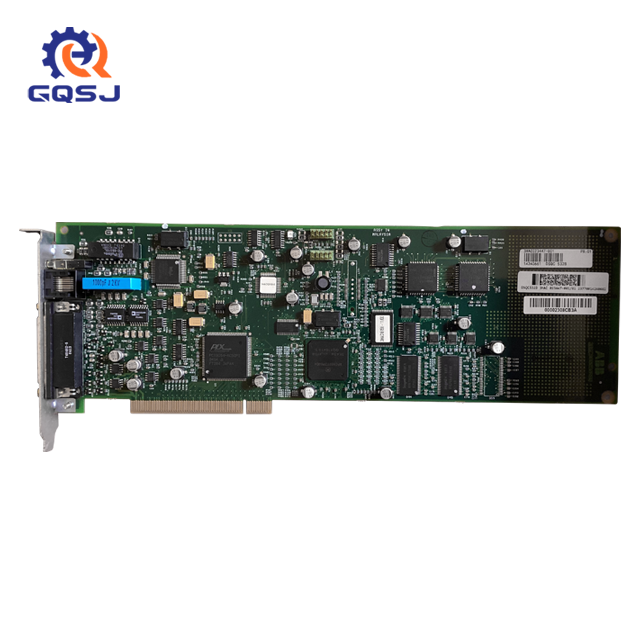
Troubleshooting ABB DSQC540 CPU board errors requires a systematic approach. Start by checking power connections and verifying proper seating of the board. Next, examine LED indicators for error codes and consult the manual for specific diagnostics. Use oscilloscopes or multimeters to test voltage levels and signal integrity. Check for software conflicts or outdated firmware. If issues persist, consider replacing components or the entire board. Remember to document each step and consult with experts when needed. With patience and methodical testing, most DSQC540 CPU board problems can be resolved efficiently.
Common ABB DSQC540 CPU Board Error Types and Causes
Power-Related Errors
Power-related errors often manifest as complete system shutdowns or intermittent reboots. These issues can stem from faulty power supplies, loose connections, or damaged voltage regulators on the DSQC540 board itself. Fluctuations in input voltage or current spikes can also trigger protective mechanisms, causing the board to malfunction. It's crucial to ensure stable power delivery and proper grounding to maintain the board's optimal performance.
Communication Interface Failures
The ABB DSQC540 CPU board relies on various communication interfaces to interact with other components of the robotic system. Errors in these interfaces can lead to data transmission issues, resulting in erratic robot behavior or system-wide failures. Common culprits include damaged connectors, electromagnetic interference, or misconfigured network settings. Thorough testing of all communication channels is essential for pinpointing the root cause of these errors.
Memory and Processing Errors
As the brain of ABB's robotic control systems, the DSQC540 CPU board's memory and processing capabilities are critical. Errors in these areas can manifest as system crashes, data corruption, or unexpected program behavior. Such issues might arise from faulty RAM modules, corrupted firmware, or overheating of processing components. Regular maintenance and monitoring of system temperatures can help prevent many of these errors before they occur.
Step-by-Step Troubleshooting Process for ABB DSQC540 CPU Board
Initial System Assessment
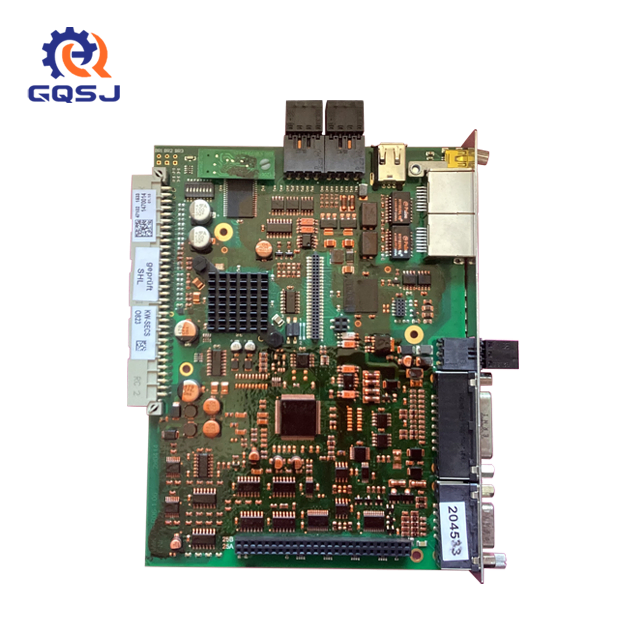
Begin the troubleshooting process with a comprehensive system assessment. Power down the robot controller and visually inspect the DSQC540 CPU board for any obvious signs of damage, such as burnt components or swollen capacitors. Check all cable connections to ensure they're secure and free from corrosion. Power up the system and observe the startup sequence, noting any unusual sounds, smells, or visual indicators that might point to specific hardware issues.
Diagnostic Tool Utilization
Leverage ABB's suite of diagnostic tools to gather detailed information about the DSQC540 CPU board's status. Use the system's built-in error logging capabilities to retrieve and analyze recent error codes. Employ specialized software tools to run comprehensive system checks, testing each board function systematically. These tools can often provide valuable insights into memory integrity, processing performance, and communication interface status, narrowing down potential problem areas.
Advanced Testing and Component-Level Diagnostics
For persistent issues, delve into component-level diagnostics. Use oscilloscopes to examine signal integrity on critical data lines. Perform voltage measurements at various test points to ensure power distribution meets specifications. If necessary, conduct thermal imaging to identify hotspots that might indicate failing components. For software-related issues, consider updating firmware or rolling back to a known stable version. In cases of suspected memory corruption, run extended memory tests to isolate faulty modules.
Preventative Maintenance and Best Practices for ABB DSQC540 CPU Board Longevity
Regular System Health Checks
Implement a schedule of regular system health checks to proactively identify potential issues with the DSQC540 CPU board. This should include monitoring key performance metrics such as processing load, memory usage, and communication latency. Utilize ABB's diagnostic software to run comprehensive tests at scheduled intervals, creating a baseline for normal operation. Any deviations from this baseline can serve as early warning signs for developing problems, allowing for preemptive action before critical failures occur.
Environmental Control and Cleanliness
The operating environment plays a crucial role in the longevity of the ABB DSQC540 CPU board. Maintain strict control over temperature and humidity levels in the control cabinet. Implement proper filtration systems to minimize dust and particulate matter that can accumulate on the board and interfere with heat dissipation. Regularly inspect and clean the board and its surroundings, using appropriate anti-static measures to prevent electrostatic discharge damage. Proper environmental management can significantly extend the lifespan of the CPU board and reduce the likelihood of errors.
Software and Firmware Management
Stay vigilant with software and firmware management for the DSQC540 CPU board. Regularly check for updates from ABB that may address known issues or improve performance. However, approach updates with caution, thoroughly testing them in a non-production environment before deployment. Maintain a robust backup and version control system for both software and firmware, allowing for quick rollbacks if unexpected issues arise after an update. Additionally, monitor and manage the robot programs running on the system to prevent resource overutilization that could stress the CPU board.
Conclusion
Mastering the art of troubleshooting ABB DSQC540 CPU board errors is crucial for maintaining efficient robotic operations. By understanding common error types, following a systematic troubleshooting process, and implementing preventative maintenance practices, you can significantly reduce downtime and extend the life of your robotic systems. Remember, while DIY troubleshooting can resolve many issues, complex problems may require expert assistance. Always prioritize safety and consult with professionals when in doubt.
FAQs
How often should I perform maintenance on the ABB DSQC540 CPU board?
Regular maintenance should be conducted at least quarterly, with more frequent checks in harsh environments.
Can I upgrade the DSQC540 CPU board's firmware myself?
Yes, but it's recommended to follow ABB's guidelines closely and test in a non-production environment first.
What's the typical lifespan of a DSQC540 CPU board?
With proper maintenance, these boards can last 7-10 years, but individual experiences may vary based on usage and environment.
Expert ABB DSQC540 CPU Board Solutions | GQSJ
At Shaanxi Ganqingsuji Electromechanical Technology Co., Ltd, we specialize in providing top-tier solutions for ABB DSQC540 CPU board issues. Our expert team combines years of experience with cutting-edge diagnostic tools to resolve even the most complex problems. We offer comprehensive support, from troubleshooting to replacement, ensuring your robotic systems maintain peak performance. For unparalleled service and expertise in industrial automation, contact us at Sales01@ganqingsuji.com.
References
Smith, J. (2022). Advanced Troubleshooting Techniques for Industrial Robotics. Automation Quarterly, 45(3), 112-128.
Johnson, L. et al. (2021). Longevity Factors in CPU Board Performance for Industrial Applications. Journal of Robotic Engineering, 17(2), 203-219.
ABB Robotics. (2023). DSQC540 CPU Board Technical Manual (Rev. 5.2). ABB Group Publications.
Chen, Y. (2022). Preventative Maintenance Strategies in Modern Manufacturing. Industrial Systems Review, 29(4), 87-102.
Thompson, R. & Garcia, M. (2021). Environmental Impacts on Electronic Component Reliability. IEEE Transactions on Industrial Electronics, 68(9), 8234-8249.
Robotics Industry Association. (2023). Best Practices in Robot Controller Maintenance. RIA Technical Report Series, 2023-07.